

User Tools
Table of Contents
OpenVPN Server
Author: Eoin Hearne
Introduction
We use OpenVPN to connect to our internal network while working remotely. We have decided to move this to a cluster, where we have a server in San Francisco and in Ireland. This will allow users based in Ireland to connect to the server in Waterford to speed up routing to and from the VPN server. The clustering is setup so the 2 servers share a database which holds all user details. The user connects to each server using a different name, cloud.errigal.com for San Francisco and irlcloud.errigal.com for Waterford.
Install OpenVPN Server
The OpenVPN Access Server is required to be installed on each server. Install the openvpnas on both servers, copy config from our active VPN server (cronus as the time of writing) to the main server (strider), set up the MySQL database on strider, set up domain name on bilbo and add it to the cluster.
sudo apt install openvpn-as -y
The access server will have admin access and user access.
Admin access: https://bilbo.err:943/admin
User access: https://bilbo.err:943
The admin page will be used for setting up new users etc. In this case, it will be used to setup the domain name and cluster. The admin user is openvpn by default. The password will be displayed during the install so take note of it.
The user page will be used for each user to download their new connection profile, if needed.
Copy Config
Take a backup of the config on cronus
sudo -i
apt -y install sqlite3
cd /usr/local/openvpn_as/etc/db
[ -e config.db ]&&sqlite3 config.db .dump>../../config.db.bak
[ -e certs.db ]&&sqlite3 certs.db .dump>../../certs.db.bak
[ -e userprop.db ]&&sqlite3 userprop.db .dump>../../userprop.db.bak
[ -e log.db ]&&sqlite3 log.db .dump>../../log.db.bak
[ -e config_local.db ]&&sqlite3 config_local.db .dump>../../config_local.db.bak
[ -e cluster.db ]&&sqlite3 cluster.db .dump>../../cluster.db.bak
[ -e notification.db ]&&sqlite3 notification.db .dump>../../notification.db.bak
cp ../as.conf ../../as.conf.bak
Transfer the backup files to server
scp scotty@cronus.err:/usr/local/openvpn_as/\*.bak scotty@strider.err:/usr/local/openvpn_as
Import the backup files to server
service openvpnas stop
apt -y install sqlite3
cd /usr/local/openvpn_as/etc/db
[ -e ../../config.db.bak ]&&rm config.db;sqlite3<../../config.db.bak config.db
[ -e ../../certs.db.bak ]&&rm certs.db;sqlite3 <../../certs.db.bak certs.db
[ -e ../../userprop.db.bak ]&&rm userprop.db;sqlite3 <../../userprop.db.bak userprop.db
[ -e ../../log.db.bak ]&&rm log.db;sqlite3 <../../log.db.bak log.db
[ -e ../../config_local.db.bak ]&&rm config_local.db;sqlite3 <../../config_local.db.bak config_local.db
[ -e ../../cluster.db.bak ]&&rm cluster.db;sqlite3 <../../cluster.db.bak cluster.db
[ -e ../../notification.db.bak ]&&rm notification.db;sqlite3 <../../notification.db.bak notification.db
[ -e ../../as.conf.bak ]&&cp ../../as.conf.bak ../as.conf
service openvpnas start
Once the backup is imported, the login details will be the same as the previous server
Set Domain Name
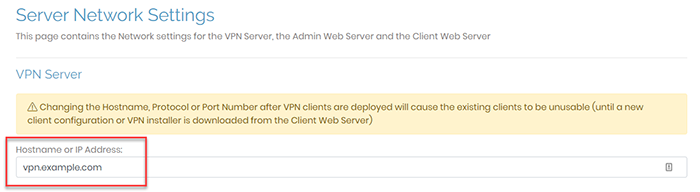
Log in to the admin web UI - https://bilbo.err:943/admin Click on Configuration > Network Settings. Enter the hostname in the Hostname or IP Address field (irlcloud.errigal.com). Click on Save Settings. Click on Update Running Server.
Setup MySQL
Install MySQL 8 on strider to allow access for the cluster. Follow the instructions here.
Setup Cluster
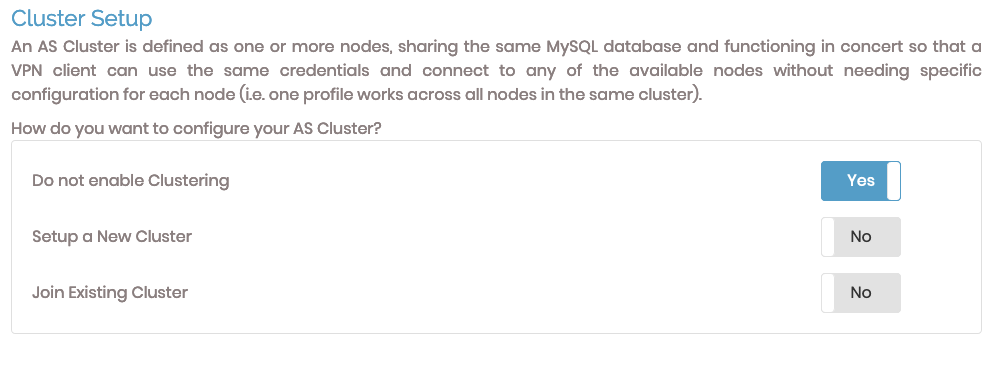
To setup a cluster, navigate to Configuration > Cluster and click on Setup a New Cluster and enter the login details for the MySQL database. Clcik save and the access server will restart. Now all the user and configuration will be set in the database.
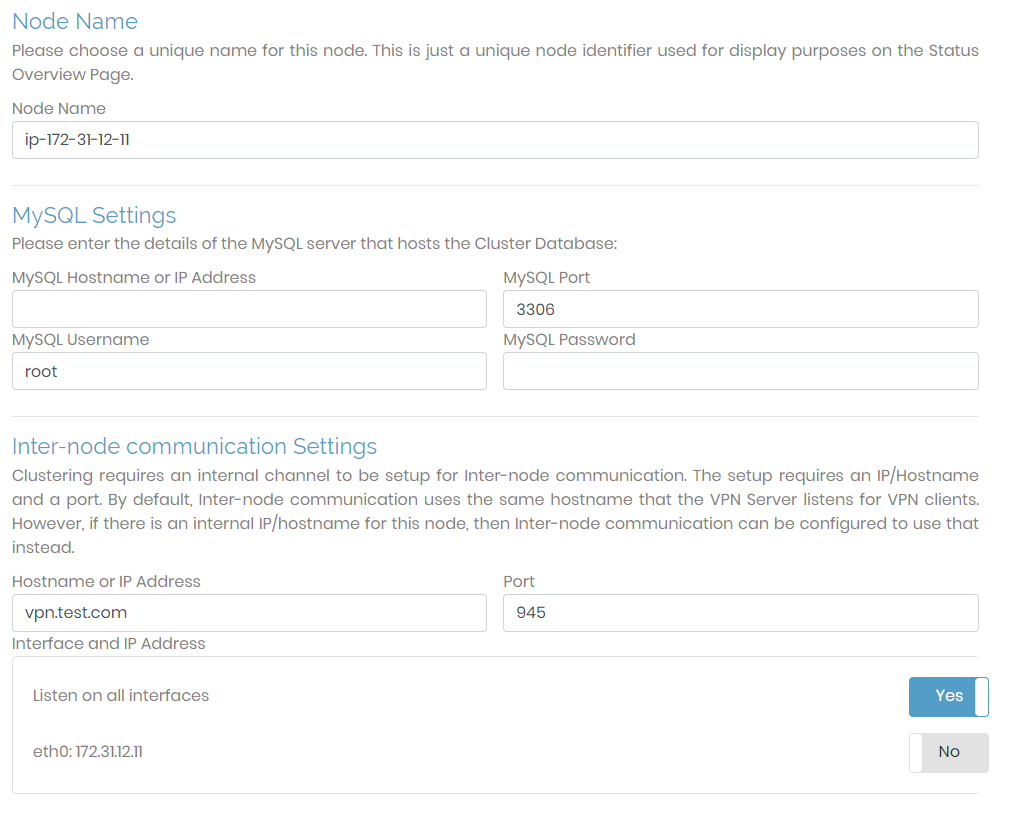
Add Node to Cluster
To add a node to the cluster (bilbo), navigate to Configuration > Cluster and click on join existing cluster. Enter striders database login and click save. The server will now use the same login details as cronus.
Moving Subscription
Need to add this once complete
Troubleshooting
To restart the openvpn access server, run:
sudo service openvpnas restart
The log file is found at /var/log/openvpnas.log


