

User Tools
onboarding:ticketer:smart_users
Table of Contents
Smart Users
Introduction
The smart owners functionality is contained in a smart users groovlet that fires when a ticket enters a workflow state with smart owners assigned.
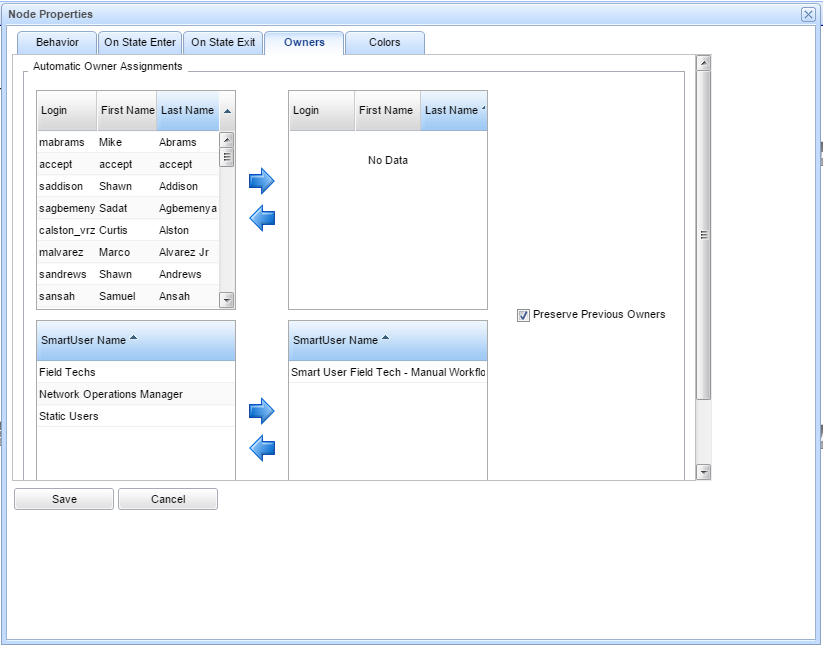
In a ticketer workflow, each node/state has an owners tab in the node dialog box. You can see the smart owners section on the bottom.
The following shows an example customer Configuration:
Configuration of smart users
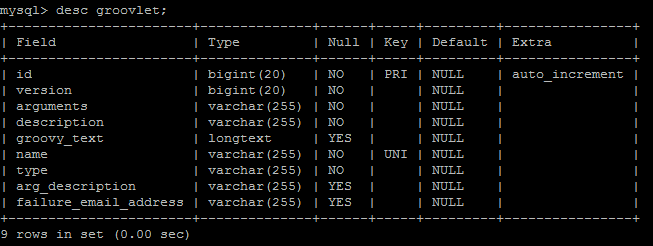
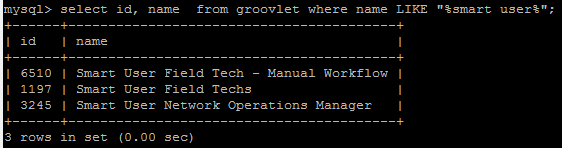
- Create a new groovlet in Groovlet Admin. The following is an example taken from a sample customer:
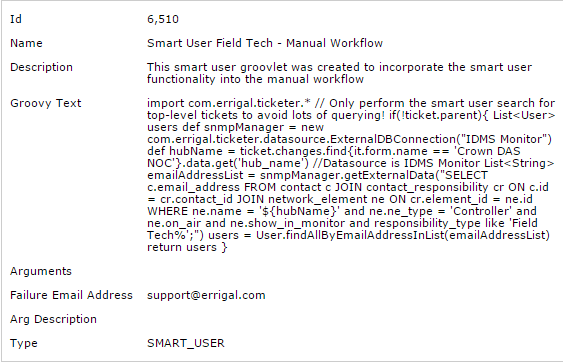
- Create a new smart user in Smart User Admin (In ticketer admin) The following is an example taken from a sample customer:
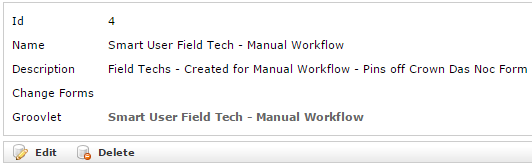
- Add the smart owners functionality where necessary to the owners tab of the workflow state:
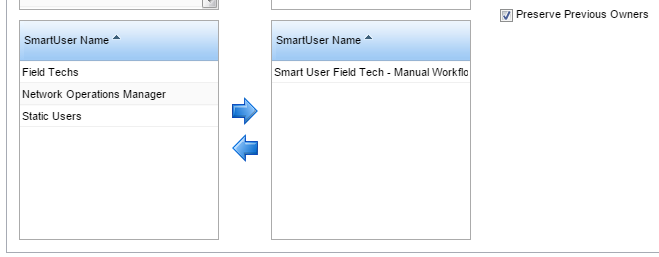
Testing Smart User Functionality
- Tail the logs while creating a ticket and moving it to a state where a smart owner is assigned.
- Check the logs for any errors.
- If there are no errors click on Manage Owners to see if owners have been assigned
- If not refresh the ticket and try again
- If not run the query from the groovlet and see if an email address is returned
Note: ensure the email addresses are correct on the users and ensure they are unique or else this functionality will fail
onboarding/ticketer/smart_users.txt · Last modified: 2021/06/25 10:09 by 127.0.0.1


