

User Tools
Writing /app/www/public/data/meta/onboarding/snmpmanager/troubleshooting_-_investigate_global_admin_tool_not_working.meta failed
onboarding:snmpmanager:troubleshooting_-_investigate_global_admin_tool_not_working
Table of Contents
Investigate Global Admin Tool Not Working
Author: Michelle McCausland
Example Customer Request
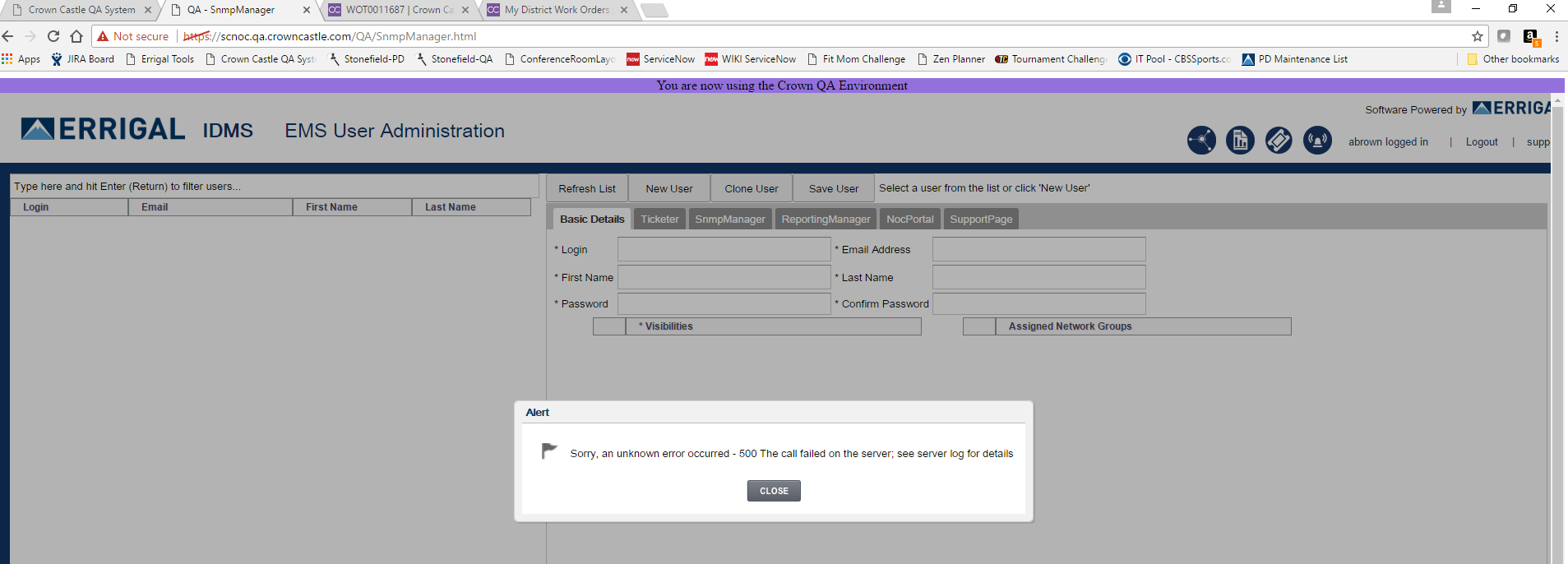
Support, I received this in QA when trying to access Global User Admin. This error pops up as soon as the screen loads.
Solution
Tailing the logs while recreating this issue revealed the following logs:
2017-05-02 10:10:43,466 [ajp-bio-8012-exec-33] INFO production.BaseProductionApplication - URL: http://qaerrigallb1/NocPortal/
2017-05-02 10:10:43,539 [ajp-bio-8012-exec-33] ERROR production.BaseProductionApplication - Error while reading api - 404 - null
2017-05-02 10:10:43,546 [ajp-bio-8012-exec-33] ERROR StackTrace - Full Stack Trace:
java.lang.Exception: Sorry there was a problem with class com.errigal.api.user.users.NocPortalUser - 404 - null
at sun.reflect.GeneratedConstructorAccessor386.newInstance(Unknown Source)
at sun.reflect.DelegatingConstructorAccessorImpl.newInstance(DelegatingConstructorAccessorImpl.java:45)
at java.lang.reflect.Constructor.newInstance(Constructor.java:526)
at org.codehaus.groovy.reflection.CachedConstructor.invoke(CachedConstructor.java:80)
at org.codehaus.groovy.runtime.callsite.ConstructorSite$ConstructorSiteNoUnwrapNoCoerce.callConstructor(ConstructorSite.java:105)
at org.codehaus.groovy.runtime.callsite.AbstractCallSite.callConstructor(AbstractCallSite.java:247)
at com.errigal.snmpmanager.remote.api.production.BaseProductionApplication$_createHttpBuilder_closure1.doCall(BaseProductionApplication.groovy:45)
- For the global admin tool to function correctly - all Errigal applications need to be active/reachable.
- As can be seen from the logs above, the Noc Portal cannot be accessed.
- Reviewing the Noc portal logs revealed that the Noc Portal logs had been zipped up (Likely root cause of why the Noc Portal was unavailable):
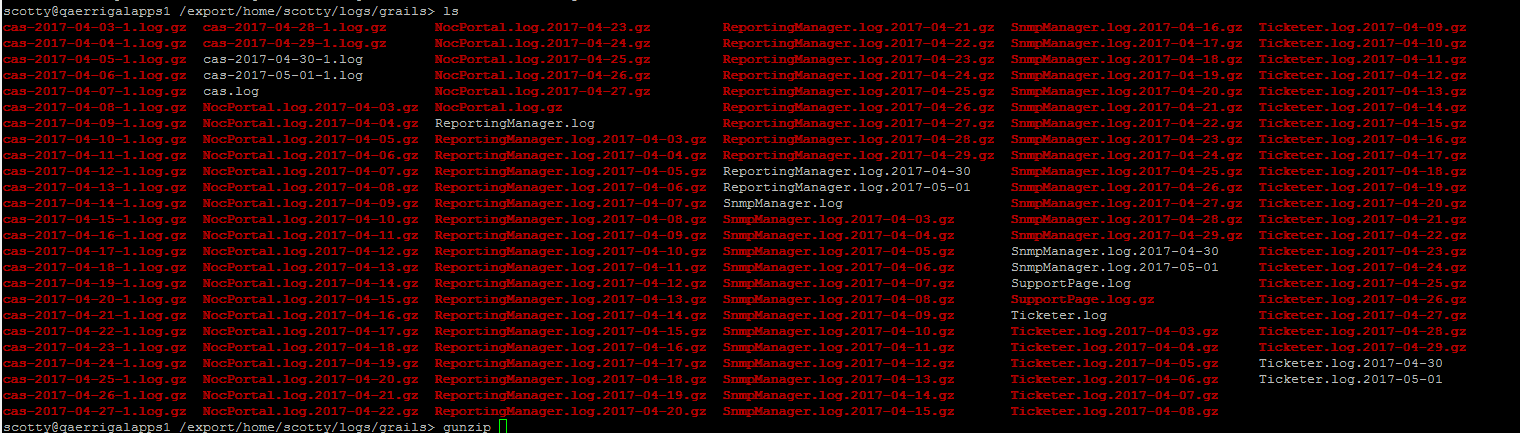

- The way the logback.groovy works in grails 3 is the rollover only occurs when a new log line occurs the next day, if the noc portal was inactive this wouldn't occur and it looks like after a further 24 hours of no activity it zips up the last NocPortal.log file to NocPortal.log.gz and we would be left with no NocPortal.log file.
- Run the following command to unzip today's log:
gunzip NocPortal.log.gz - The Noc Portal should now accessible but the global admin tool may not be :(
- Time to restart the Noc Portal - ensure to run outage scripts prior to any application restarts. If this is a production affecting issue, it is necessary to inform the customer of any restarts.
- Restarting the Noc portal should correct the issue and allow access to the global admin tool - be sure to verify this!!
onboarding/snmpmanager/troubleshooting_-_investigate_global_admin_tool_not_working.txt · Last modified: 2021/06/25 10:09 (external edit)


