

User Tools
onboarding:snmpmanager:trap_handling_overview
Table of Contents
Trap Handling Overview
Author: David McGee
Introduction
SNMP (Simple Network Management Protocol) traps are currently handled by the IDMS SNMP Manager.
Up to 100,000 of these traps get sent to Errigal everyday by our customers, from 1000s of devices residing on their telecoms networks.
A distributed IDMS architecture is utilised to handle the important telecoms alarm traffic being sent to Errigal.
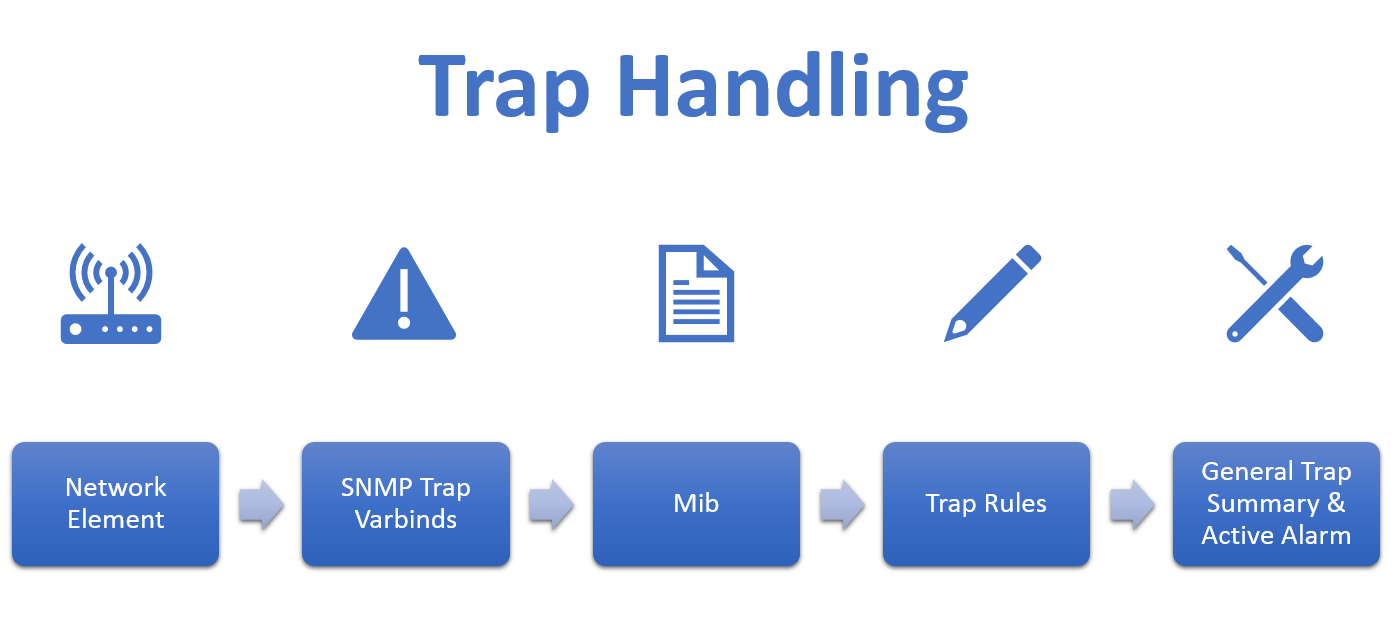
Most technology types follow this path:
- Raw SNMP Traps are sent to the IDMS SNMP Distributor on port 162. The distributor resides on the same server as an Apache Load Balancer, which is used for load balancing HTTP/Web browser requests.
- The raw SNMP trap creates a 'Trap' entry in our snmp_manager database which records basic trap information. Traps are generally 'alarming' or 'clearing' traps. Take a look at the trap table.
- These traps are passed by the DISTRIBUTOR to SNMP Manager HANDLERs to balance the load.
- Provided that these traps are not meant to be ignored (They do not have an IgnoreTrap rule), the Handler will attempt to look up a trap rule to utilise based on the trap object identifier (Trap OID). This string generally references a MIB and rule to execute.
- Most traps will proceed to create a 'GeneralTrapSummary' entry in the SNMP database, which normalises the language coming from the SNMP Trap and it's associated varbinds. Take a look at the general_trap_summary table. The trap rules engine generally executes rules that will result in a general trap summary and an active alarm being created.
- Using the trap rules engine for a specific trap type, we determine whether an open ActiveAlarm exists already, whether it's a repeat, or whether it's an alarm that should be cleared. Take a look at the active_alarm table.
Trap Handling Diagram
Application Worker Roles
As seen above, a number of different types of application workers exist. These include:
- Distributor - Distributes SNMP traps amongst worker nodes
- Handler - Accepts and processes traps using associated trap rules (By trap object identifier - OID)
- Trap Forwarder - Forwards necessary SNMP traps to pre-configured destinations (i.e. Errigal → ExteNet → AT&T)
- Link Poller (IP_CONNECTIVITY) - Checks what hub elements are online and reachable (Via ICMP, Web HTTP request, SNMP time check, etc)
- Zinwave - A custom handler type for pulling spreadsheet dumps from a specific telecoms vendor equipment type
There are also a number of widely-used application modules within the SNMP Manager:
- Node Monitor
- Element Management System
- Hub Audit
Trap Processing Diagram

Sample Deployments
- To learn about the configuration of a system in QA or production (exercise caution), you could take a look at the thread_config table in the SNMP Manager database. Please see configurations for our customers, as queried below:
ExteNet Systems
| id | failover_hostname | hostname | type | params | application_port |
| 27 | exts303 | exts303 | HANDLER | NULL | 8082 |
| 29 | exts302 | exts302 | DISTRIBUTOR | NULL | 8082 |
| 30 | exts304 | exts304 | HANDLER | NULL | 8082 |
| 31 | exts306 | exts306 | IP_CONNECTIVITY | NULL | 8082 |
| 32 | exts302 | exts302 | TRAP_FORWARDER | NULL | 8082 |
Snmp Deployment Diagram

Extra Resources
Please take a look at the Errigal IT Infrastructure presentation
onboarding/snmpmanager/trap_handling_overview.txt · Last modified: 2021/06/25 10:09 by 127.0.0.1


