

User Tools
Writing /app/www/public/data/meta/onboarding/ems/troubleshooting_-_ems_user_can_t_upload_attachment.meta failed
onboarding:ems:troubleshooting_-_ems_user_can_t_upload_attachment
Table of Contents
Troubleshooting - EMS user can't upload attachment
Author: Michelle McCausland
Example Customer Request
Example ticket ESR-994812
Troy attempted to upload an excel (.xslx) document to each of the networks.

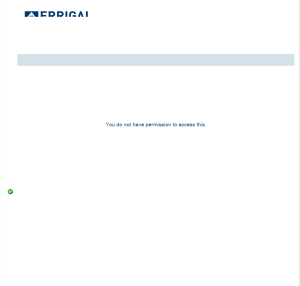
Each time he tried to upload he got the same popup message saying “You do not have permission to access this” (Screenshot attached).

Oscar and I attempted to upload again to NC-IL-155NWACK-ATT and SC-COTA-VZW at approximately 10:20 CDT and received the same error.

An admin account however was able to upload to SC-TX-COTA-VZW. Our admins were not able to determine what parameter change was necessary to get this to work.
Solution
Comments from Anna:
Basically what is happening is a url is being specified in the AttachementUploadForm class(/SnmpManager/gwtFileUpload/uploadAttachment) to which the user does not have permissions. The intended behaviour for this upload widget is to be validated against the Upload File EMSPermission string. However default grails url validation is overriding the GWT.
This was rectified in the short term by performing the following queries:
insert into shiro_role_permissions (shiro_role_id, permissions_string) VALUES(1, "auth");
insert into shiro_role_permissions (shiro_role_id, permissions_string) VALUES(1, "uploadableFile");
insert into shiro_role_permissions(shiro_role_id, permissions_string) VALUES(1, "gwtFileUpload:uploadAttachment");
insert into shiro_role_permissions(shiro_role_id, permissions_string) VALUES(1, "gwtFileUpload");
IDMS-802 was created for a permanent solution to this issue. Resolved in ATC Prod Rollout IDMS 3.2.4
onboarding/ems/troubleshooting_-_ems_user_can_t_upload_attachment.txt · Last modified: 2021/06/25 10:09 by 127.0.0.1


