Table of Contents
Administration: Legend Management
Author: Michelle McCausland
Introduction
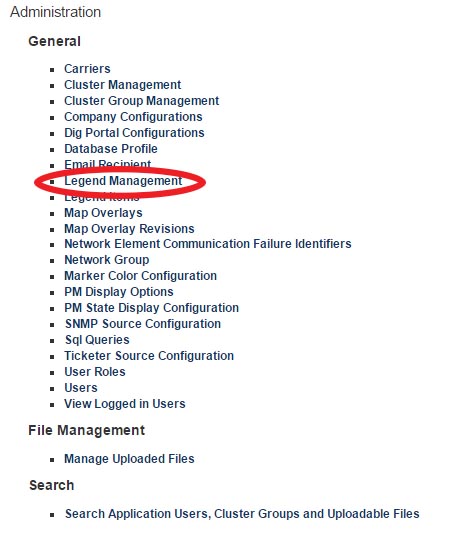
The legend management settings can be found in the Noc portal admin area (from the Noc portal home page click on manage account):
Adding a new legend
To add a new legend item, click on New Legend and you will be presented with the following:
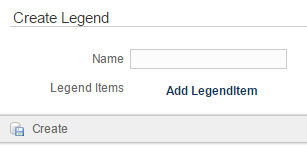
After creating a new legend you can associate a legend item with this by clicking on Add LegendItem. You will be presented with the following:
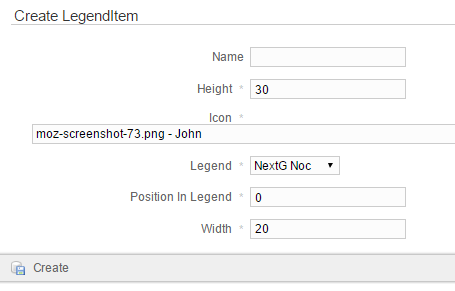
- Name - the name you wish to give this legend item
- Height - the height of the legend item (in pixels)
- Icon - if you wish to choose an image/icon for this legend item you can do so from the dropdown menu
- Legend - select from the dropdown menu
- Position In Legend - the position you wish this legend item to appear in the legend.
- Width - the width of this legend item (in pixels)
Once you have finished this process click on the Create button in order to create the legend item.
Self Assessment
- Create a new Legend
- Create 2 new legend items
- Associate the 2 new legend items with the newly created legend
- Change the icon of one of the newly created legend items