Table of Contents
Administration: Database Profiles
Author: Michelle McCausland
Introduction
To access the Database Profile section of the NOC portal, in the admin section click Database Profile:
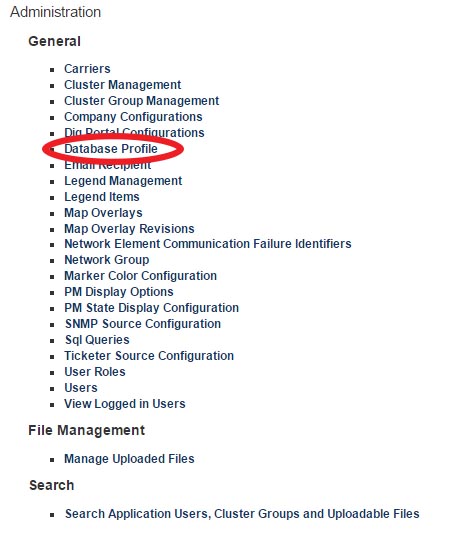
Establishing database profiles allows the noc portal application to connect to the other applications for example the Ticketer or the SNMP Manager. If the connection details are incorrect for example to the ticketer then the noc portal tickets will fail to load in the application so this configuration is very important.
Create a new database profile
From here you can create a new database profile by clicking New Database Profile. You will be presented with the following:
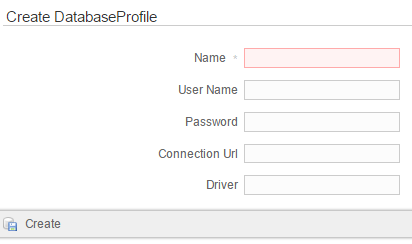
- Name: The name you wish to use for this new database profile
- Username: The username associated with the database connection
- Password: The password associated with the database connection
- Connection URL: The url that provides access to the datasource e.g. Snmp Manager, Ticketer
- Driver: e.g. com.mysql.jdbc.Driver
Edit an existing Database Profile
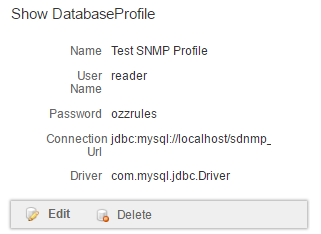
Clicking into an existing database profile will present you with the following which you can edit:
Self Assessment
- Outline the steps required to create a new database profile
- Outline the result of an incorrect database profile connection URL