Table of Contents
Web Form Guidelines
UX For Web Forms
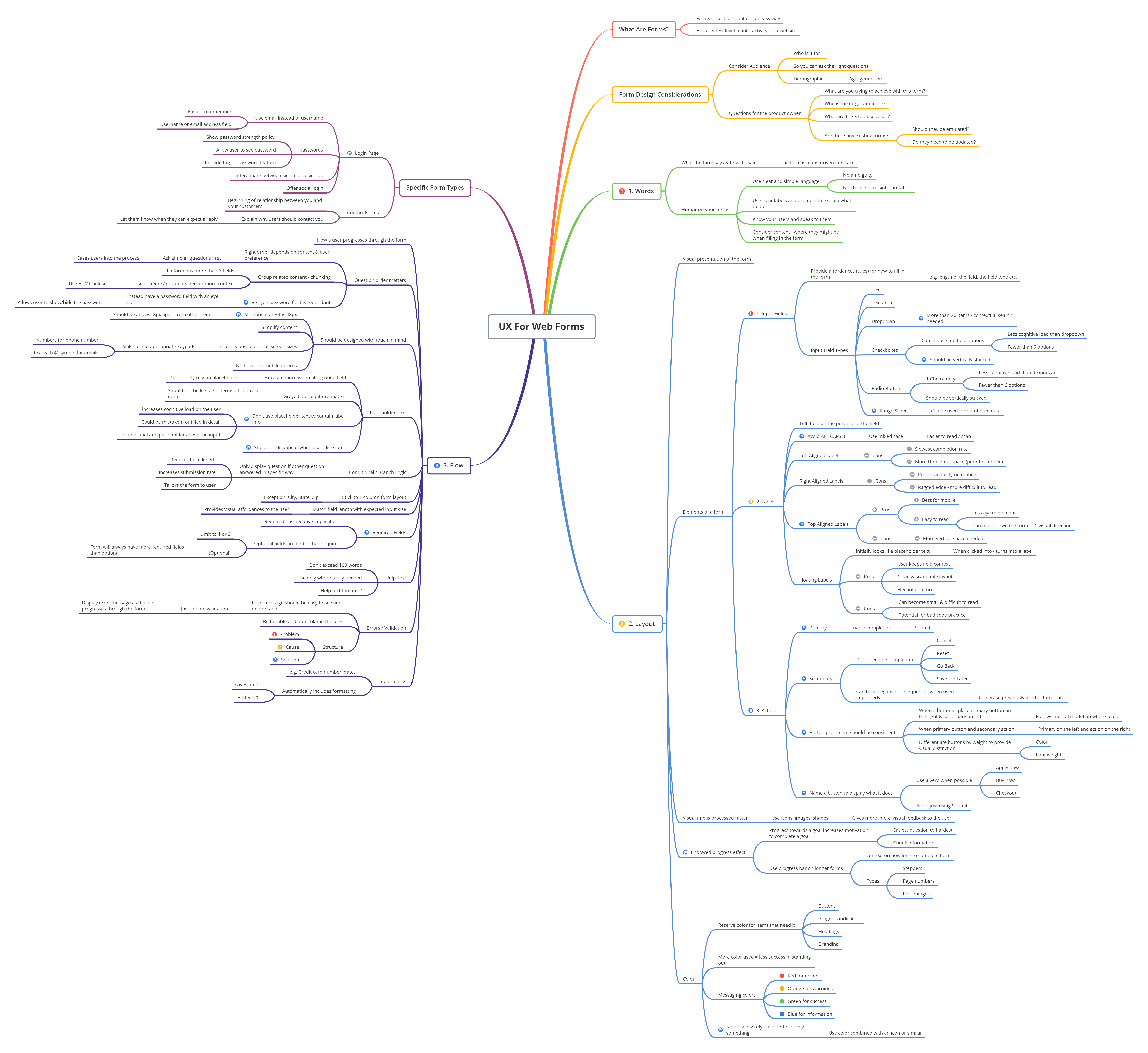
Best Practices for Web Form Design
The following post is summarized from the article Website Forms Usability: Top 10 Recommendations from the Nielsen Norman Group website.
Careful form design has a huge impact on the speed with which users can understand and accurately complete a form.
1. Visually group related labels and fields.
Visually group related labels and fields.
Labels should be close to the fields they describe (immediately above the field for mobile and shorter desktop forms, or next to the field for extremely long desktop forms).
If your form asks about two different topics, section it into two separate groups of fields.
2. Present fields in a single column layout.
Multiple columns interrupt the vertical momentum of moving down the form.
(Exceptions to this rule: short and/or logically related fields such as City, State, and Zip Code can be presented on the same row.)
3. Avoid placeholder text.
Designers like placeholder text because it eliminates visual clutter.
But placeholder text causes many usability problems, and is best avoided.
4. Match fields to the type and size of the input.
Avoid drop-downs when there are only 2 or 3 options that could be displayed as radio buttons (which require only a single click or tap).
Text fields should be about the same size as the expected input since it’s extremely error prone when users can’t see their full entry.
For example, for 2,130 recent participants in the UX Conference, the user’s city of residence ranged between 3 characters (Leo, Indiana) to 22 characters (San Pedro Garza Garcia, Mexico). 99.9% of city names were 19 characters or shorter, making 19 characters a reasonable width for a city field.
5. Distinguish optional and required fields.
Why use optional fields is always better than required :
- An asterisk is obvious to you, not to everyone, believe me, there are always some who do not understand
- There are always more fields required than optional
- Less visual noise on your form makes it more readable and therefore faster to complete
6. Avoid Reset and Clear buttons.
The risk of accidental deletion outweighs the unlikely need to ‘start over’ on a web form.
In forms that collect extremely sensitive input such as financial information, provide a ‘Cancel’ button to support those users who abandon the form and want to delete their information. But make sure that the Cancel button has significantly less visual prominence than the Submit button, to avoid accidental clicks.
7. Provide highly visible and specific error messages.
Errors should be signaled through a variety of cues, not solely through color: outline the field AND use red text AND use a heavier font, to ensure users don’t overlook this critical information.